You've been at the top of today's board all afternoon. Then somebody on the other end of Essex Street spots five hats in a row, and you'd never know until you opened the app. Now you will. WitchCatcher 1.8 adds notifications, and the first one is made for a race.
Out now on iPhone: update WitchCatcher from the App Store. The Android update is with Google Play for review and should be out in the next few days.
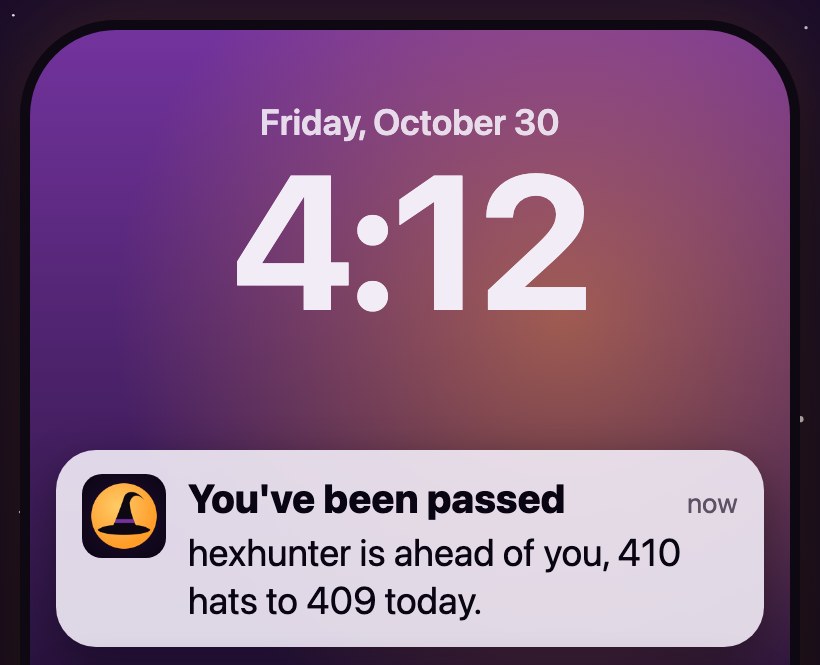
Somebody just took your spot.
Two kinds of notification
Someone passes you. When you're on top of today's leaderboard and somebody pulls ahead of you, WitchCatcher tells you who, and by how much. It's about the top spot only, so you hear about it when the lead changes hands, not every time someone below you taps a hat. You'll get at most one an hour, so a close race can't fill your Lock Screen. This one needs an account, since it has to know which player is you.
News. When there's a new article here on witchcatcher.com, like this one. You don't need an account for news. If you've already turned it on, this article may be the notification you just tapped.
Turning them on
After your tenth hat, WitchCatcher asks whether you'd like to know when you're passed. Tap Yes, notify me, then allow notifications when your phone asks.
You can switch either kind on or off any time in Settings, under Notifications. If you've turned off WitchCatcher's notifications in your phone's settings, the app will say so and show you where to turn them back on.
On Android, each kind has its own notification channel, so you can silence one in your phone's settings and keep the other. If you wear an Apple Watch or a Wear OS watch, the notifications show up on your wrist too.
What we don't do
No ads, no "come back and play" nudges, and nothing about your phone is stored for news. Those two kinds are all WitchCatcher sends.
Get the update
Notifications are in WitchCatcher 1.8. If your Settings screen doesn't have a Notifications section, update the app from the App Store, or from Google Play once the Android update is out.