You've spent October spotting witch hats all over Salem. Now you can show it off. WitchCatcher 1.6, out now on Android and iPhone, turns your badges into a picture made for sharing: your hats this year, your best day, and every badge you've earned, under the WitchCatcher name.
A Reel is a good home for it. Instagram plays it with a song you pick, and it can reach people who don't follow you yet. Here's how, step by step.
1. Open your badges
Open the menu in WitchCatcher (the three lines at the top right) and tap Badges. Your card is at the top: this year's hats, this week's, and your best day.
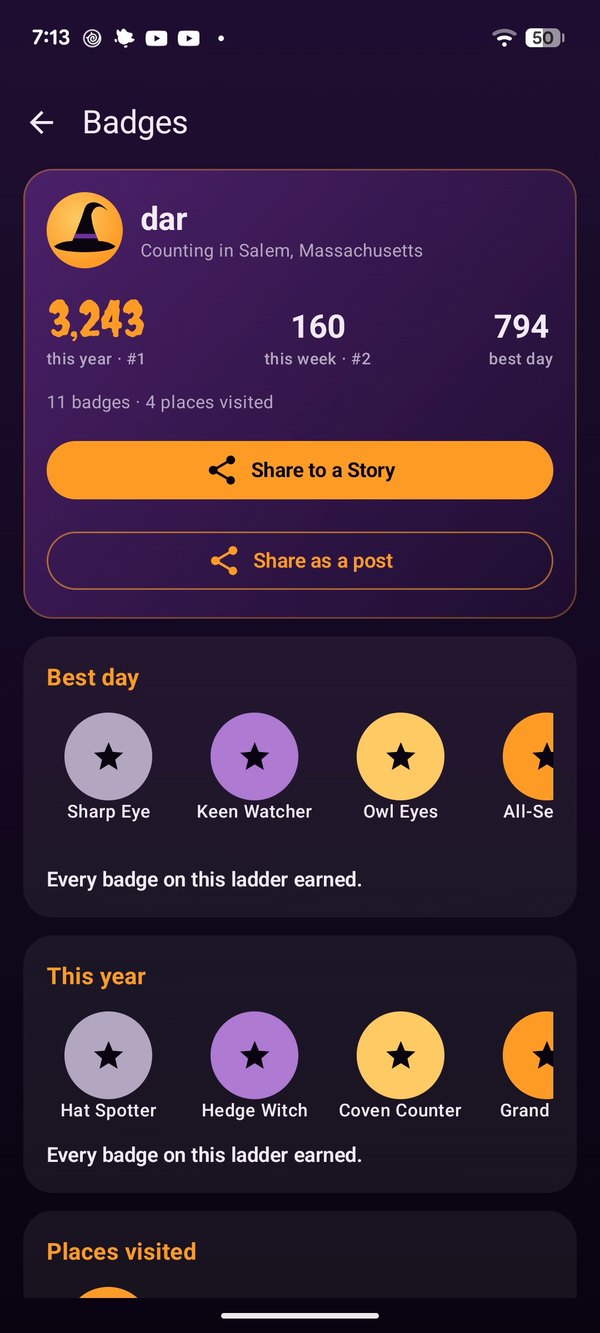
Badges, with the two share buttons under your numbers.
2. Tap Share to a Story
Share to a Story makes a tall picture, the shape of a phone screen, which is also the shape of a Reel. (Share as a post makes a shorter 4:5 picture for your feed.)
3. Pick Instagram Reels
Your phone's share sheet opens with a preview of the picture. On Android, tap Instagram Reels.
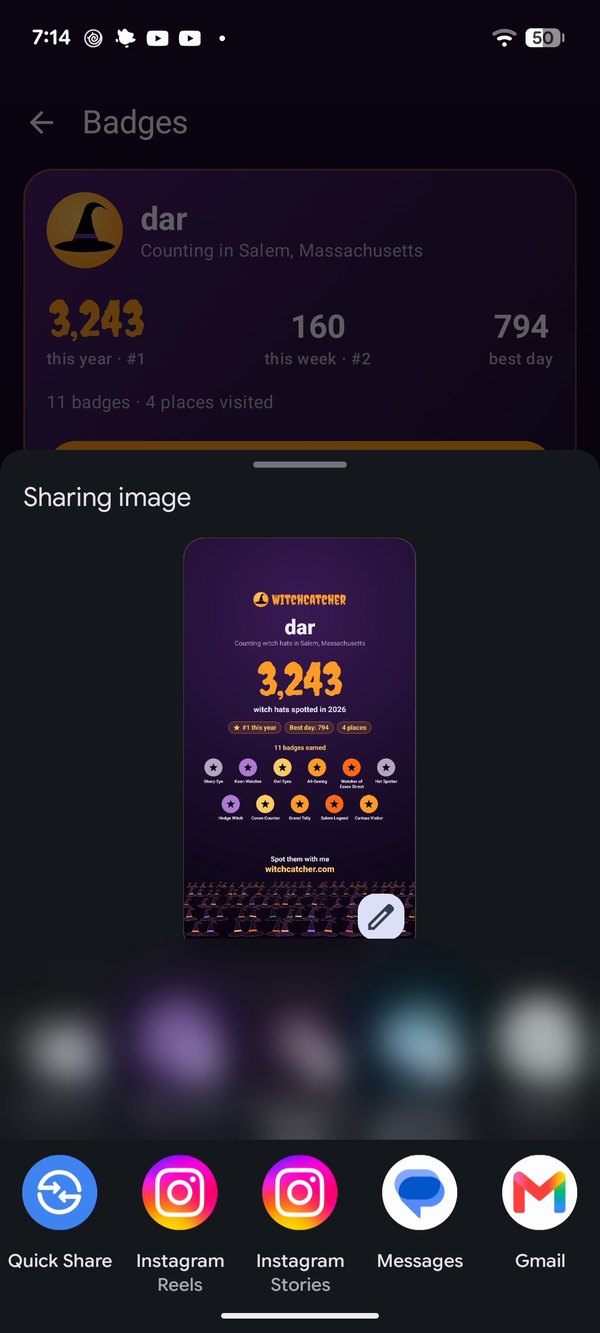
Android's share sheet. Instagram Reels sits in the row of apps.
If you don't see Instagram Reels there, scroll down to the full list of apps, tap Instagram, and choose Reels.
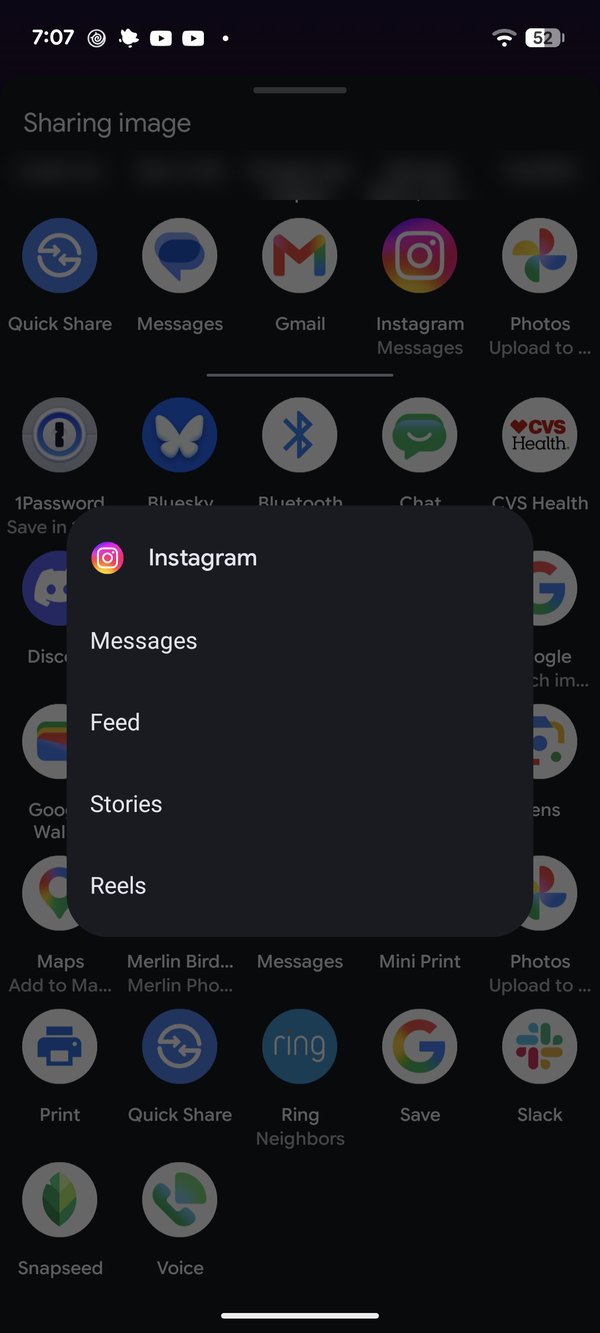
Tap Instagram in the full list, then Reels.
On iPhone, tap Instagram in the share sheet and pick Reels when Instagram asks where to share it.
4. Add a song
Your card opens in Instagram's Reel editor. Tap Audio at the bottom left and choose a song. There are plenty of Halloween ones; we like I Put a Spell on You. Choose the part of the song you want, then tap Done.
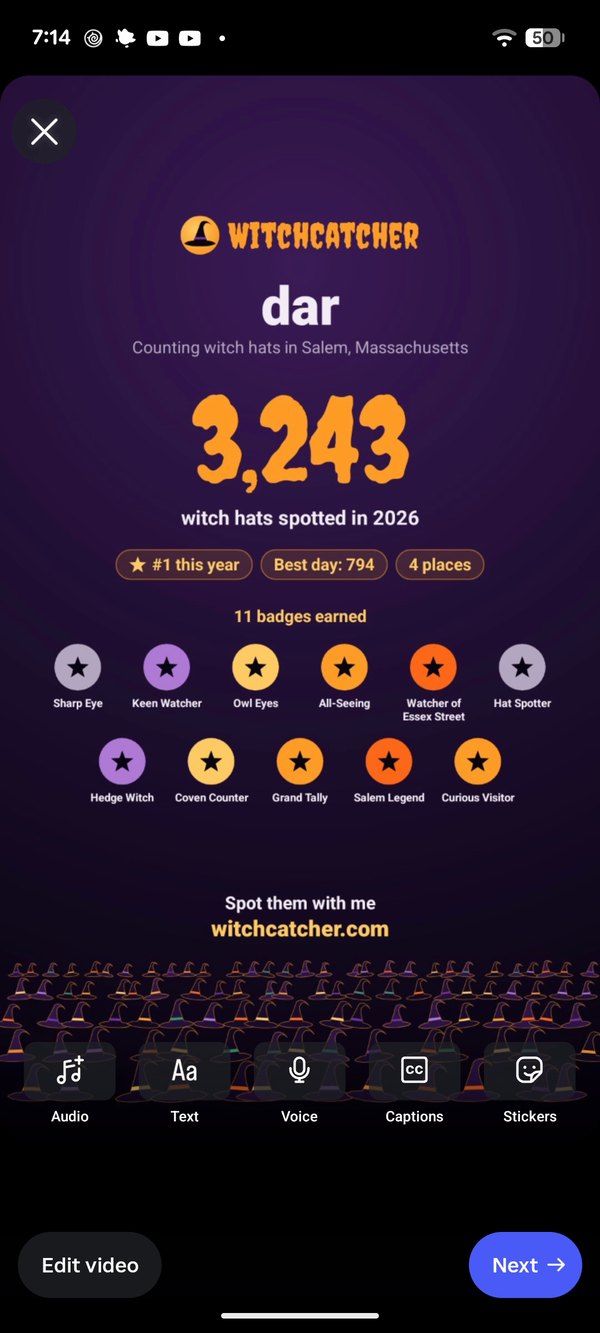
The card in the Reel editor. Audio is at the bottom left.
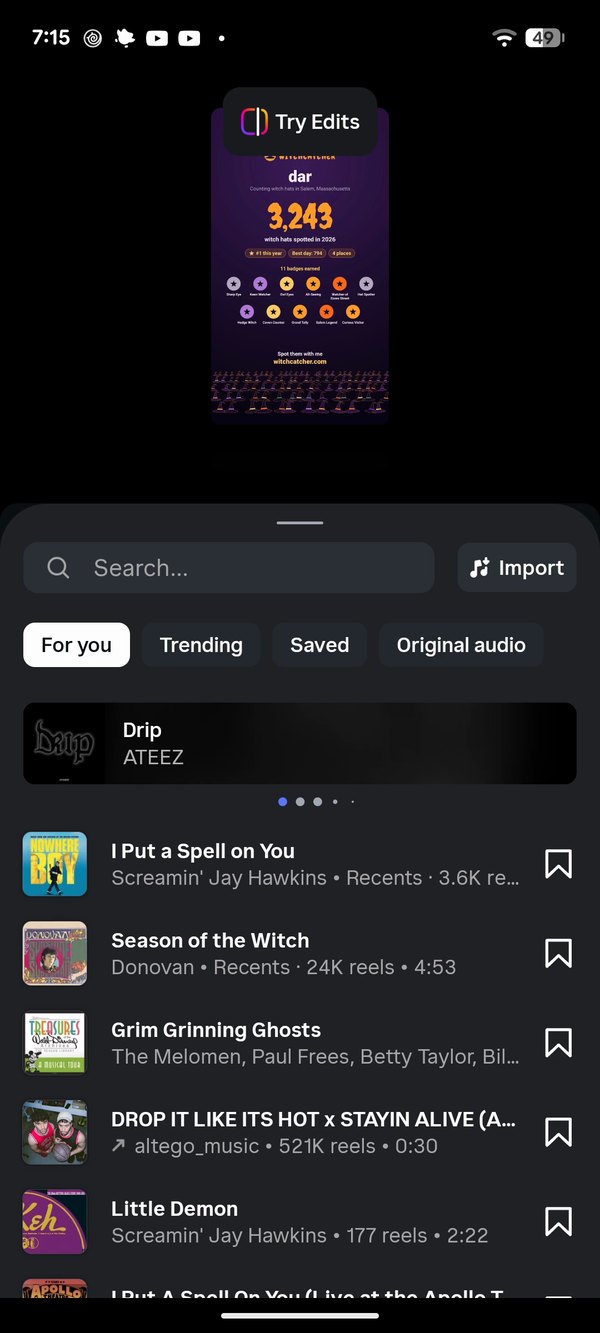
Pick a song. Instagram suggests a few spooky ones in October.
5. Write a caption and share
Tap Next, write a caption, and tap Share. Tag it #witchcatcher so we can find it. We love seeing them.
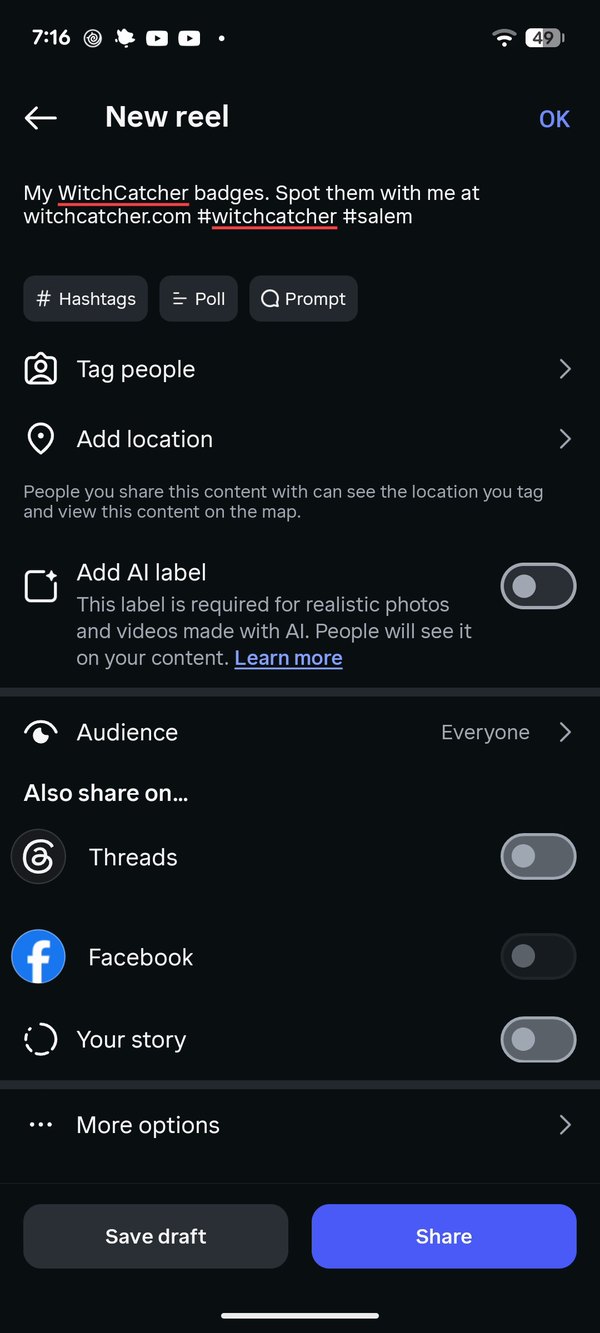
Write a caption, then tap Share.
What goes on the card
- Your hats this year, in big orange numbers, and your best day.
- Your rank, if you're in the top 10. Outside it, the card leaves the rank off.
- Every badge you've earned, while they fit. With more than 12, it shows your top five.
- How many places you've visited, from your check-ins at stores and events.
The card counts the location you've picked in Settings, so Salem's card says Salem, and a regional card says your region.
Get the update
Sharing your badges is in WitchCatcher 1.6. If your Badges screen doesn't have the share buttons, update the app from the App Store or Google Play.